Gemini 3.5 Live Translate Explained: Google's Real-Time Voice Translation Model

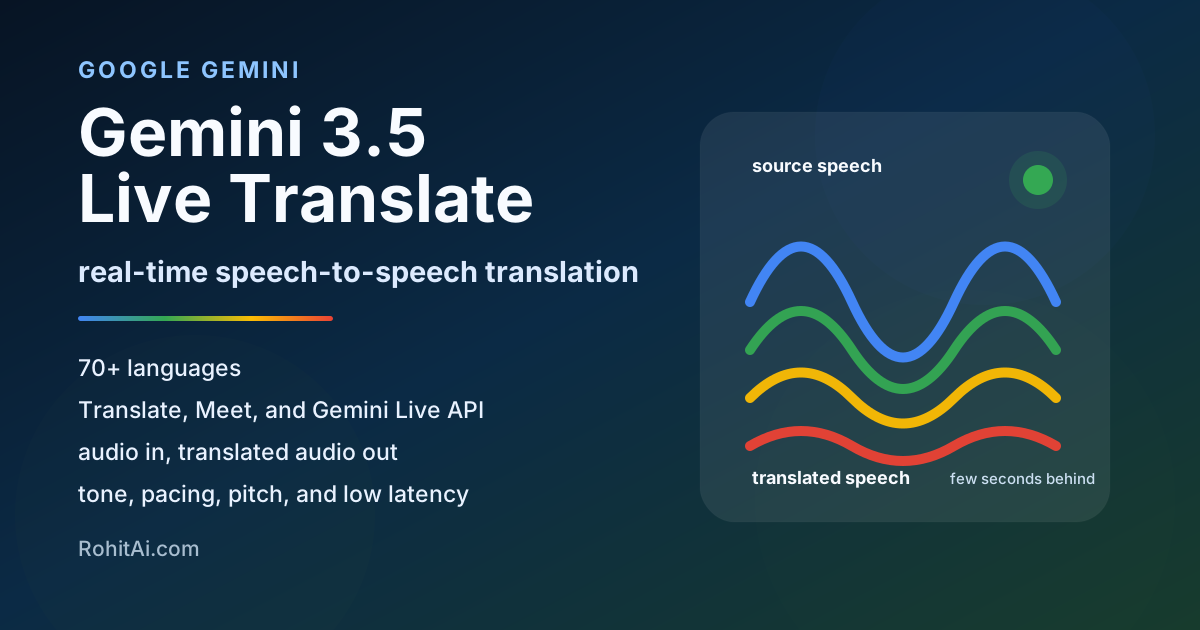
Google's new Gemini 3.5 Live Translate release looks simple at first.
A new model that translates speech in real time.
But I think the bigger story is this:
Translation is moving from an app you open into an invisible layer that sits inside calls, meetings, travel, customer support, classrooms, and live content.
That is the real shift.
For years, translation mostly meant typing text into Google Translate, using captions, or waiting for a voice translation app to finish listening before it responded.
Gemini 3.5 Live Translate is different. It is built for continuous speech-to-speech translation. It listens while someone is speaking, translates as the audio comes in, and generates spoken translation only a few seconds behind the speaker. Google says it automatically detects 70+ languages and preserves intonation, pacing, and pitch better than older turn-by-turn systems.
You can read Google's launch post here: Fluid, natural voice translation with Gemini 3.5 Live Translate.
That small UX change matters a lot.
Because in real conversations, the hardest part is not just converting one language into another.
The hard part is keeping the conversation alive.
No awkward pause. No "wait, let the app finish." No breaking eye contact every few seconds. No turning a natural conversation into a slow technical process.
That is what this model is trying to fix.
Google launched Gemini 3.5 Live Translate on June 9, 2026. It is a dedicated audio model for near real-time speech-to-speech translation across 70+ languages. It is rolling out in three important places: Google Translate on Android and iOS, Google Meet for select enterprise users in private preview, and the Gemini Live API for developers in public preview.
For developers, the model is available as:
gemini-3.5-live-translate-preview
It works through the Gemini Live API and is designed for audio input and translated audio output, with optional transcripts. It is not a general chat model, not a tool-calling model, and not a reasoning assistant. Google's docs describe Live Translation as a real-time translation pipeline, not a live agent.
My take: this is one of Google's most practical AI releases because it has immediate use cases. Travel, meetings, classrooms, support calls, creator dubbing, gaming voice chat, rideshare calls, hospitality, immigration help, healthcare navigation, sales calls - all of these become easier when language translation becomes real-time audio instead of a separate app.
Real-time speech translation in the Translate app, including headphone-based listening and a new Android earpiece listening mode.
Private preview for select business Workspace customers, with Google's launch post saying Meet is moving toward 70+ languages and 2000+ combinations.
Public preview through the Live API and Google AI Studio for apps that need audio input, translated audio output, and transcripts.
Google launched Gemini 3.5 Live Translate, its latest audio model focused specifically on live voice translation.
This is important: it is not "Gemini 3.5 Flash but for translation." It is a specialized model for one job.
Google says the model can:
listen to spoken audio
detect the language
translate into the target language
generate translated speech
preserve tone, pacing, pitch, and intonation
stay only a few seconds behind the speaker
The model is rolling out across Google products in three ways:
1. Developers: public preview through Gemini Live API and Google AI Studio
2. Enterprises: private preview in Google Meet starting this month
3. Consumers: Google Translate on Android and iOS
That distribution is the big advantage.
A startup can build with it through the API. A company can use it in Meet. A normal person can use it in Google Translate.
That is classic Google: put the model everywhere, not just inside one flagship app.
The obvious benefit is translation.
The deeper benefit is conversation flow.
Old translation tools often made conversations feel mechanical. One person speaks. The app waits. It translates. The other person waits. Then they reply. The whole thing becomes slow.
Gemini 3.5 Live Translate is built around a different idea:
Translate continuously enough that people can keep talking naturally.
That is the key.
When translation becomes fast enough, it stops feeling like a tool and starts feeling like part of the environment.
This is why I think the most important metric for live translation is not just accuracy.
The real metrics are:
How much delay does it add?
Does it preserve emotion?
Does it handle accents?
Does it work in noisy rooms?
Does it keep up when people speak naturally?
Does it break when two people speak quickly?
Does it make people trust the conversation?
A technically accurate translation that arrives too late is still bad UX.
A slightly imperfect translation that keeps the conversation moving may be more useful in many real-world situations.
That is the shift.
This is one of the most important details for developers.
Google's Live API docs separate Live Agent from Live Translation. A Live Agent acts like an assistant: it can reason, respond, use tools, and follow instructions. Live Translation behaves more like a real-time interpreter pipeline: it continuously translates audio and does not support tools or instructions in the same way.
That sounds like a limitation, but it is actually the right design.
For translation, you do not want the model to be creative. You do not want it to add ideas. You do not want it to answer instead of translate. You do not want it to "helpfully" rewrite the speaker's intention.
You want it to stay close to the speaker.
So the mental model should be:
Live Agent = assistant
Live Translate = interpreter
This matters when building products.
If you want a multilingual customer support agent, you may need two layers:
Layer 1: Gemini 3.5 Live Translate for live speech translation
Layer 2: another Gemini model for reasoning, retrieval, CRM actions, summaries, or tools
Do not expect the translation model itself to be your full agent.
That is a common mistake builders may make.
Speech in, translated speech out, with transcripts when needed. Keep it close to what the speaker actually said.
Summaries, CRM updates, tool calls, policy checks, retrieval, follow-up emails, and business logic.
Gemini 3.5 Live Translate is rolling out globally in the Google Translate app on Android and iOS. Google says users can connect headphones and use Live Translate to hear translated speech across 70+ languages. Android users are also getting a listening mode that lets them hear translations directly through the phone earpiece, like a normal call.
Google's Translate help page lists supported languages including Hindi, Tamil, Telugu, Bengali, Gujarati, Marathi, Punjabi, Urdu, Japanese, Korean, Arabic, Spanish, French, German, Portuguese, and many more. It also shows modes like Listening, Conversation, Text only, Custom settings, and Face to face mode.
This is probably the consumer use case most people will try first:
You are travelling.
Someone speaks a language you do not understand.
You connect headphones or hold your phone to your ear.
You hear the translation in your language.
Simple. Useful. Very Google.
Google Meet speech translation is also getting upgraded with Gemini 3.5 Live Translate.
Google says Meet will move from only five supported languages to 70+ languages, and from translating mainly to and from English to supporting 2000+ language combinations in one meeting. The update starts in private preview for select business Google Workspace customers this month, with a broader rollout later this year.
This is huge for global teams.
Today, many international meetings are still quietly English-first. Even when people can speak English, they may not express themselves as naturally as they would in their native language.
Live speech translation changes that.
A Japanese engineer can speak Japanese. A Brazilian sales lead can speak Portuguese. An Indian teammate can speak Hindi or Tamil. A German customer can speak German.
And everyone can still follow the meeting.
That is not just convenience. It changes who gets to participate fully.
One caveat: Google's current Meet help page still describes the existing beta as delayed by a few seconds and limited in important ways. It says no audio is saved and models are not trained on your voice, but it also warns that real-time translations can contain errors. The launch post is the forward-looking upgrade path; the help page is the practical reminder that this is still a product rollout, not magic.
For developers, Gemini 3.5 Live Translate is available through the Gemini Live API in public preview. The model supports audio input and translated audio output, plus text transcripts of input and output. Google's model page lists a 131,072 token input limit and 65,536 token output limit for the preview model.
The API model ID is:
gemini-3.5-live-translate-preview
Google's docs show that developers configure translation through translationConfig, including:
targetLanguageCode
echoTargetLanguage
inputAudioTranscription
outputAudioTranscription
For audio streaming, the docs specify raw 16-bit PCM input at 16kHz and raw 16-bit PCM output at 24kHz, with 100ms chunks recommended for latency.
This tells us something important: real-time translation apps are not just about calling an API.
The hard part is media engineering.
You need to handle:
microphone capture
audio chunking
WebSockets
latency
playback
echo cancellation
headphones
interruptions
transcripts
connection drops
privacy notices
language selection
The model is powerful, but the product experience will decide whether users love it or abandon it.
Gemini 3.5 Live Translate pricing is listed at $3.50 per 1M input tokens and $21.00 per 1M output tokens on the paid tier. Google also gives an audio-minute estimate: about $0.0053 per input minute and $0.0315 per output minute, with billing based on 25 audio tokens per second. That works out to about $0.0368 per minute of combined audio input and output.
Roughly:
10 minutes  ~= $0.37
30 minutes  ~= $1.10
60 minutes  ~= $2.21
For a casual consumer product, that may still be expensive at scale.
For business use, it can be very reasonable.
Think about:
support calls
sales calls
remote hiring
online tutoring
doctor-patient intake
hotel concierge support
legal intake with human review
multilingual webinars
creator live streams
If translation helps close a sale, reduce support time, avoid confusion, or serve a customer who otherwise could not communicate, a few cents per minute can be worth it.
The right way to evaluate this model is not just "price per minute."
The better question is:
What is the cost per successful conversation?
That is the metric that matters.
Useful for short support calls, pickup coordination, travel help, and quick customer checks.
Practical for sales calls, tutoring sessions, healthcare intake, and structured meetings.
Expensive for consumer scale, but reasonable when the conversation has business value.
This is the easiest use case.
Google Translate already has massive brand trust. Putting better live translation directly into the app makes it useful for airports, taxis, restaurants, shops, guided tours, hotels, hospitals, and local transport.
The new Android listening mode is especially practical because it removes friction. You do not always have headphones ready. Holding your phone to your ear is a simple behavior people already understand.
This may be the biggest enterprise use case.
A lot of global companies say they are international, but the real working language is still English. That creates hidden friction. People who are less fluent may speak less, avoid nuance, or avoid challenging ideas.
Real-time speech translation in Meet could make meetings more equal.
But it also needs careful UX.
For important meetings, I would still keep translated captions on, show transcripts, and ask people to pause after key points. Google's Meet help page warns that real-time translations can contain errors and suggests waiting for the translation indicator to finish before replying.
This is one of the strongest commercial use cases.
Imagine a support agent who only speaks English but can help users in Spanish, Hindi, French, Arabic, Japanese, or Portuguese through live speech translation.
The company does not need to hire a full support team in every language on day one.
But the product must be honest. For billing issues, legal issues, healthcare, immigration, or finance, you need confirmation screens and human escalation.
AI translation is good. It is not magic.
Google mentioned Grab testing the model for near real-time communication between drivers and travelers at pickups. Google says Grab users make more than 10 million voice calls per month through the platform.
That is a perfect example.
The conversation is usually short, practical, and time-sensitive:
Where are you?
I am at Gate 3.
Can you come to the other side?
I am wearing a blue shirt.
There is traffic.
Please wait two minutes.
These are exactly the kinds of conversations where live translation can be valuable.
Live translation could be powerful for online classes, language learning, global workshops, and university lectures.
But education needs a special design.
For casual lectures, live audio translation is useful. For exams, technical subjects, legal training, medical training, or academic citations, the translated transcript should be saved and reviewed.
The model can help people understand. It should not be treated as the official source of truth for high-stakes learning.
This is where things get interesting.
Live dubbing could make creators instantly more global.
A YouTuber, streamer, teacher, or conference speaker could reach people in many languages without recording separate versions.
But the best products will not just translate the audio.
They will also provide:
translated captions
searchable transcript
speaker labels
highlight clips
language-specific summaries
post-event edited subtitles
Live translation gets people through the moment. Post-processing makes the content reusable.
If I were building with Gemini 3.5 Live Translate, I would not build "another translation app."
Google already owns that.
I would build vertical products where translation is part of a bigger workflow.
Translate live, capture objections, confirm numbers, and generate follow-up notes in both languages.
Let support teams serve more regions while escalating high-risk cases to humans.
Translate lessons live, keep transcripts, and generate bilingual study notes after the session.
Translate streams in real time, then produce searchable subtitles and language-specific summaries.
Other strong product ideas:
telehealth intake
hotel and airport concierge
gaming voice chat
multilingual webinar platform
marketplace calls between buyers and sellers
immigration or civic-service navigation with human review
The big opportunity is not translation alone.
The big opportunity is:
translation + workflow.
For example:
Translate the call
Show transcript
Extract action items
Save customer issue
Send summary in both languages
Escalate if confidence is low
Confirm important numbers and names
That is a product.
Do not build a product that assumes the model is perfect.
That will fail.
Live translation still has known limitations. Google's model card says voices can be inconsistent, voices may shift after long pauses, gender can change, rapid multi-speaker sessions can cause issues, language detection can struggle with non-native accents or similar languages, and background audio may still leak through.
So avoid using it alone for:
legal testimony
medical diagnosis
emergency instructions
financial contracts
immigration interviews
court proceedings
safety-critical operations
high-stakes negotiations
You can still use AI translation in those areas, but only with guardrails:
human review
written confirmation
translated transcript
consent
confidence indicators
pause-and-confirm moments
manual correction
audit logs
The best translation products will be honest about uncertainty.
One small API setting is more important than it looks:
echoTargetLanguage
Google says this controls what happens when input audio is already in the target language. If it is true, the model echoes the target-language speech. If it is false, the model stays silent when the input is already in the target language. The default is false.
This matters in real products.
Imagine a multilingual meeting where some people already speak your language. Do you want the model to repeat them? Maybe not.
Imagine a live broadcast where you need continuous audio output. Maybe yes.
This is the kind of tiny UX detail that can make or break a real-time audio app.
For most conversation apps, I would start with:
echoTargetLanguage: false
That avoids unnecessary repeated audio.
For broadcast or accessibility use cases, I would test:
echoTargetLanguage: true
But I would monitor for audio artifacts, because Google notes that background noise can create issues when echoing target-language audio.
If you build a browser or mobile app, do not expose a long-lived Gemini API key to the client.
Google's Live Translation docs point to ephemeral tokens for client-to-server applications. The important pattern is:
server creates constrained short-lived token
client opens Live API session with that token
translationConfig is locked or explicitly controlled
token expires quickly
This matters because a translation app naturally wants to run close to the user's microphone. But the browser or mobile client is not a safe place for your permanent API key.
I would also log:
language pair
session duration
latency
disconnects
audio input/output minutes
user corrections
fallback to captions
whether transcript was saved
Not for surveillance. For product quality, billing, abuse prevention, and debugging.
Google's DeepMind model card says Gemini 3.5 Live Translate is based on Gemini 3 Pro and is part of the Gemini series of natively multimodal reasoning models. It also says the model was evaluated across translation quality, latency, and speech naturalness.
That tells me Google is not treating translation as a simple speech-to-text plus text translation plus text-to-speech chain anymore.
My reading is that Google wants a more native audio translation experience, where the model understands speech as speech and outputs speech as speech.
That matters because speech contains more than words.
Speech contains:
emotion
hesitation
emphasis
pace
tone
speaker intent
confidence
sarcasm
urgency
Text translation often loses those signals.
Live speech translation needs to carry at least some of them forward.
That is why preserving pitch, pacing, and intonation is not just a nice demo feature. It is part of making translated speech feel human.
This release also makes the translation race more interesting.
Apple has Live Translation with AirPods, but Apple's approach is more device-centered and privacy-centered. Apple says once language models are downloaded, processing takes place on the iPhone and conversation data remains private. That gives Apple a strong privacy and hardware story.
Microsoft has Interpreter in Teams for Microsoft 365 Copilot users. It supports real-time speech-to-speech interpretation in Teams meetings and calls, includes 20 hours per person per month with a Copilot license, and currently supports a smaller set of output languages than Google's launch target.
Google's advantage is distribution and language scale.
Google has:
Google Translate
Android
iOS app availability
Google Meet
Workspace
Gemini Live API
AI Studio
developer ecosystem
Apple has the hardware/privacy advantage.
Microsoft has the enterprise meeting advantage.
Google is trying to cover both consumer and developer distribution at once.
That is why Gemini 3.5 Live Translate feels important.
It is not just a model. It is a language layer across Google's ecosystem.
Translate, Meet, Android, iOS, Workspace, Live API, AI Studio, and 70+ language positioning.
AirPods plus on-device downloaded language models gives Apple a cleaner privacy story.
Teams Interpreter is built directly into Microsoft 365 collaboration workflows.
There are two privacy questions users and companies will ask immediately:
Is my audio saved?
Is my voice used for training?
For Google Meet's current Speech Translation help page, Google says no audio is saved and models are not trained on your voice. It also notes that Speech Translation is beta, not available to all users, and translations are delayed by a few seconds for completeness.
For the Gemini API, Google's pricing page marks free-tier usage as used to improve products and paid-tier usage as not used to improve products.
For generated audio, Google says all audio generated by its models is watermarked with SynthID so AI-generated content remains detectable.
For builders, the lesson is simple:
Do not hide the AI.
Show a clear indicator when translation is active. Get consent when voices are being translated. Let users stop translation. Give transcripts for important moments. Do not pretend the translation is guaranteed perfect.
Trust will matter more than raw model quality.
If you are building with Gemini 3.5 Live Translate, I would use this checklist.
A good live translation product should feel calm.
The user should not have to think about the model.
They should just feel like the conversation is easier.
Most teams will test this model badly.
They will speak one clean sentence in English, translate it to Spanish, and say "wow, this works."
That is not enough.
A proper test should include:
fast speech
slow speech
heavy accents
background music
street noise
multiple speakers
children speaking
older people speaking
technical vocabulary
numbers and addresses
names of people and places
mixed-language sentences
rapid language switching
long pauses
interruptions
And you should measure:
latency
meaning accuracy
speaker comfort
number accuracy
name accuracy
transcript accuracy
voice consistency
failure recovery
cost per minute
battery impact
network sensitivity
The best question to ask users is not:
Was the translation perfect?
The better question is:
Were you able to complete the conversation?
That is the real-world benchmark.
Here are my predictions.
In a few years, it will feel strange that global meetings used to happen in only one language.
Meet, Teams, Zoom, and other platforms will all compete here. The winner will not only be the most accurate translator. It will be the one with the best meeting UX: turn-taking, transcript quality, speaker identity, privacy controls, and admin settings.
People will still use Google Translate.
But the bigger future is translation inside other experiences:
inside calls
inside glasses
inside headphones
inside meetings
inside games
inside classrooms
inside customer support
inside travel apps
The translation app becomes the testing ground. The translation layer becomes the real product.
AI will not remove human interpreters.
But it will change where they are used.
AI translation will handle casual, high-volume, low-risk conversations. Human interpreters will remain important for legal, medical, diplomatic, emotional, and high-stakes situations.
The new workflow may be:
AI for live understanding
human for final accuracy
AI transcript for review
human correction for official record
When a model can speak in another language with a voice that sounds natural, users need to know what is real, what is translated, and what is AI-generated.
That is why SynthID-style watermarking matters. It may not matter much to casual users today, but it will matter in misinformation, scams, impersonation, and recorded content.
Live translation alone is useful.
Live translation plus memory is much more useful.
Imagine:
Translate this sales call
Detect objections
Summarize in both languages
Send follow-up email
Save CRM notes
Highlight uncertain translations
Create bilingual transcript
Generate customer-specific FAQ
That is where builders should focus.
Not "translate speech."
More like:
complete the multilingual workflow
Gemini 3.5 Live Translate is one of those releases that feels obvious only after it exists.
Of course AI should translate speech in real time. Of course it should work inside meetings. Of course it should be available through an API. Of course it should preserve tone, not just words.
But making it work well enough for real conversations is hard.
The most interesting thing here is not just the language count.
It is the product direction.
Google is turning translation from a separate task into an ambient capability.
You do not open a translation tool. The call translates. The meeting translates. The app translates. The classroom translates. The support conversation translates.
That is a much bigger idea.
For users, this makes the world feel smaller.
For developers, it opens a new category of products.
For companies, it reduces the cost of serving global customers.
For Google, it strengthens one of its oldest AI products - Google Translate - with one of its newest model families.
My final view:
Gemini 3.5 Live Translate is not just a better translation model. It is a preview of a world where language barriers become a software layer.
And that is a very big deal.